⌨︎
Tabs that survive drops
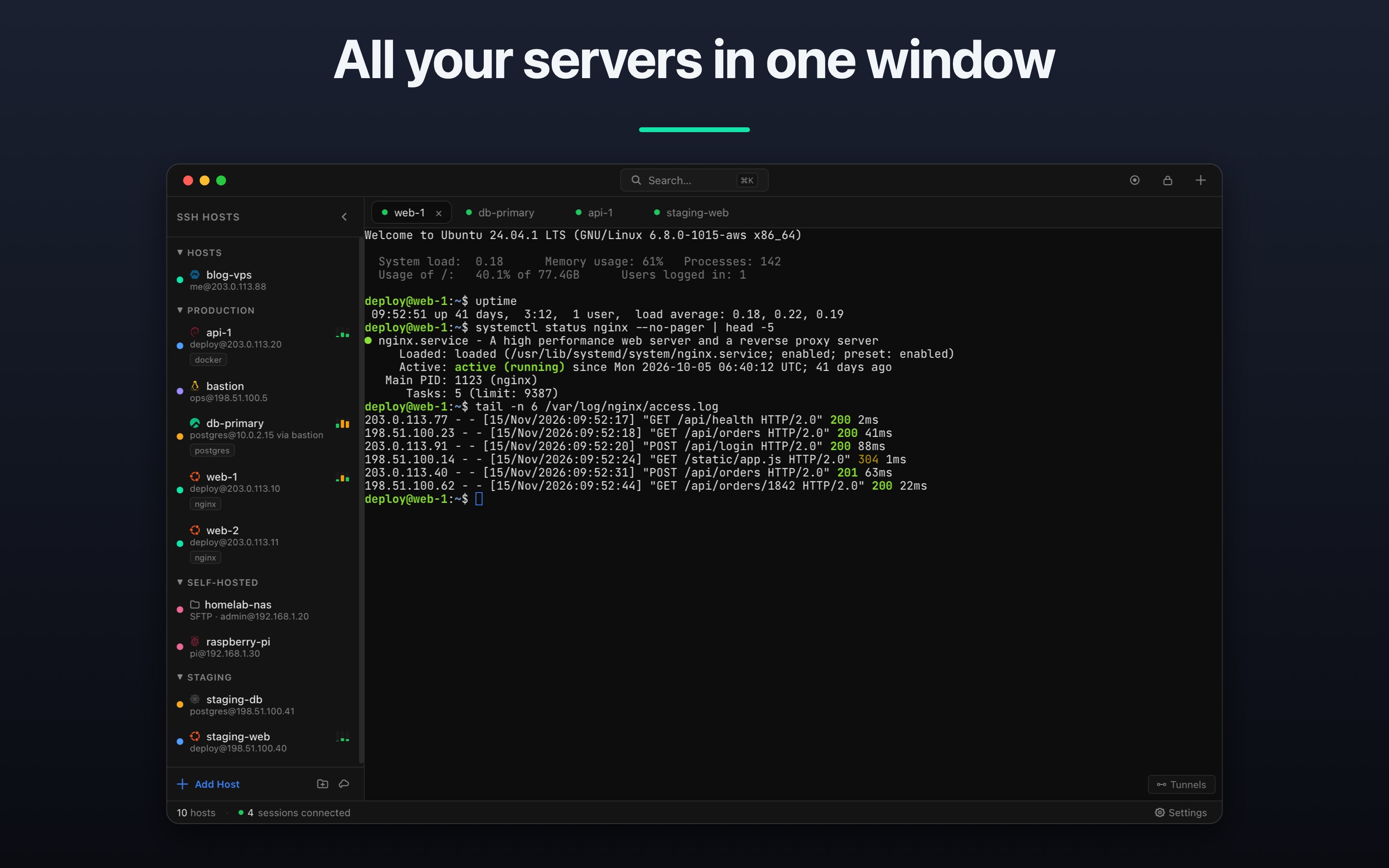
xterm-based terminals with search and session restore. When Wi-Fi blips, tabs reconnect on their own and keep their scrollback.
Mac · iPhone · iPad
Brama is an SSH and SFTP manager for people who live in terminals. Jump hosts, saved tunnels, AWS/Azure/GCP discovery and incident recording on the Mac, and your servers in your pocket on iPhone and iPad, kept in sync through your own iCloud. Your passwords stay in the Apple Keychain.
Mac, iPhone and iPad · Free for up to 5 hosts · No account · No telemetry
postgres@db-primary:~$ psql -c "select count(*) from orders where created_at > now() - interval '1 hour';"
 count
-------
  1842
(1 row)

postgres@db-primary:~$ df -h /var/lib/postgresql
Filesystem      Size  Used Avail Use% Mounted on
/dev/nvme1n1    500G  441G   59G  88% /var/lib/postgresql
postgres@db-primary:~$
deploy@stage-web:~$ docker compose ps
NAME      STATUS
web       Up 2 hours (healthy)
worker    Up 2 hours
deploy@stage-web:~$ tail -f /var/log/app.log
── Connection lost. Reconnecting in 2s… (attempt 1)
── Reconnected. Scrollback kept.
deploy@stage-web:~$
ubuntu@prod-api-1:~$ uptime
 14:02:11 up 41 days,  3:12,  1 user,  load average: 0.84, 0.77, 0.69
ubuntu@prod-api-1:~$ df -h /
Filesystem      Size  Used Avail Use% Mounted on
/dev/nvme0n1p1   97G   29G   68G  30% /
ubuntu@prod-api-1:~$ sudo systemctl status api --no-pager | head -3
● api.service - API server
     Loaded: loaded (/etc/systemd/system/api.service; enabled)
     Active: active (running) since Mon 2026-09-21 09:14:02 UTC
ubuntu@prod-api-1:~$
Built for daily SSH work: fast to open, keyboard-first, and quiet until something needs you.
xterm-based terminals with search and session restore. When Wi-Fi blips, tabs reconnect on their own and keep their scrollback.
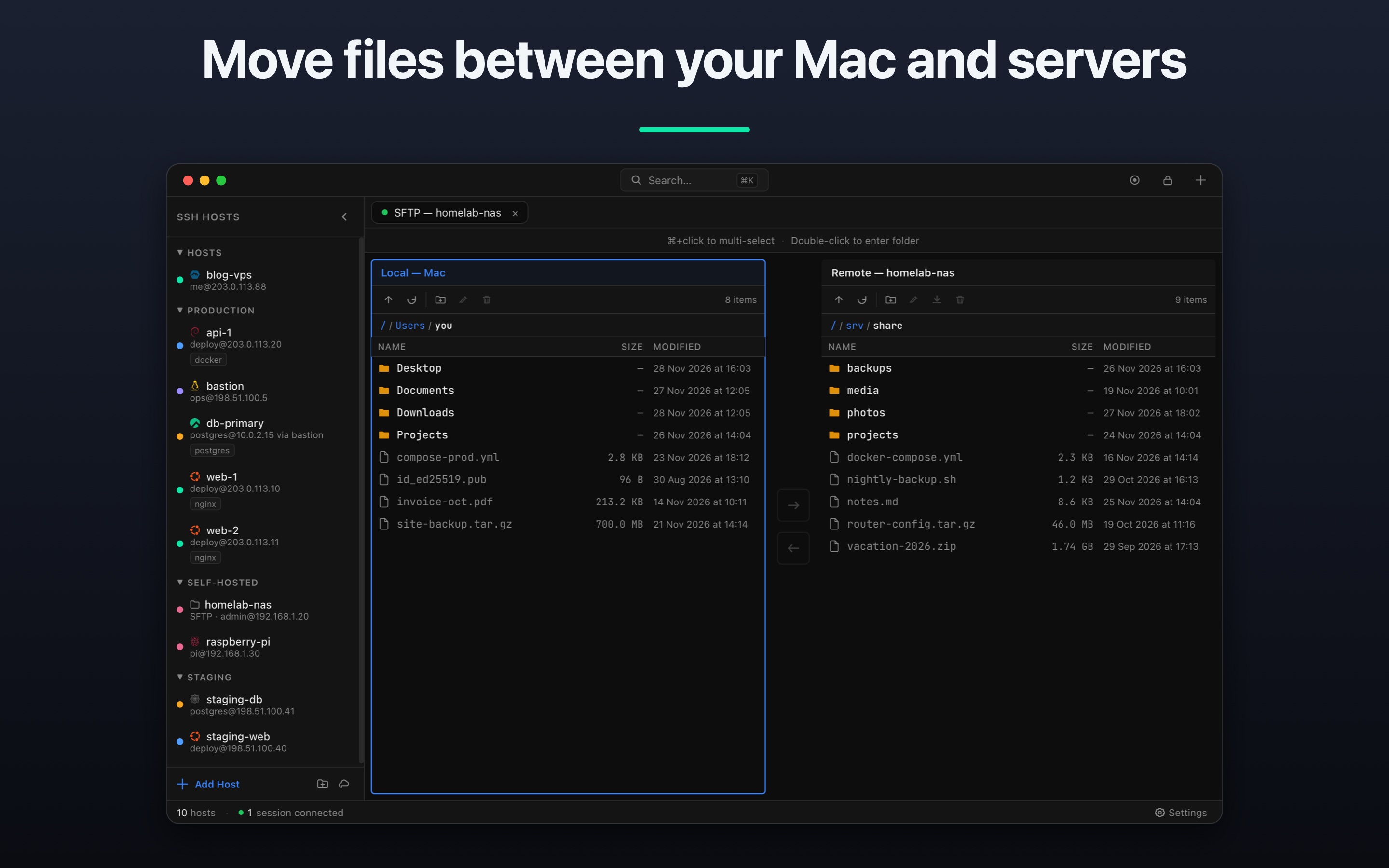
Browse, upload and download next to your terminal, side by side with your local files.
Reach private servers through a bastion, like ssh -J. Each hop uses its own credentials.
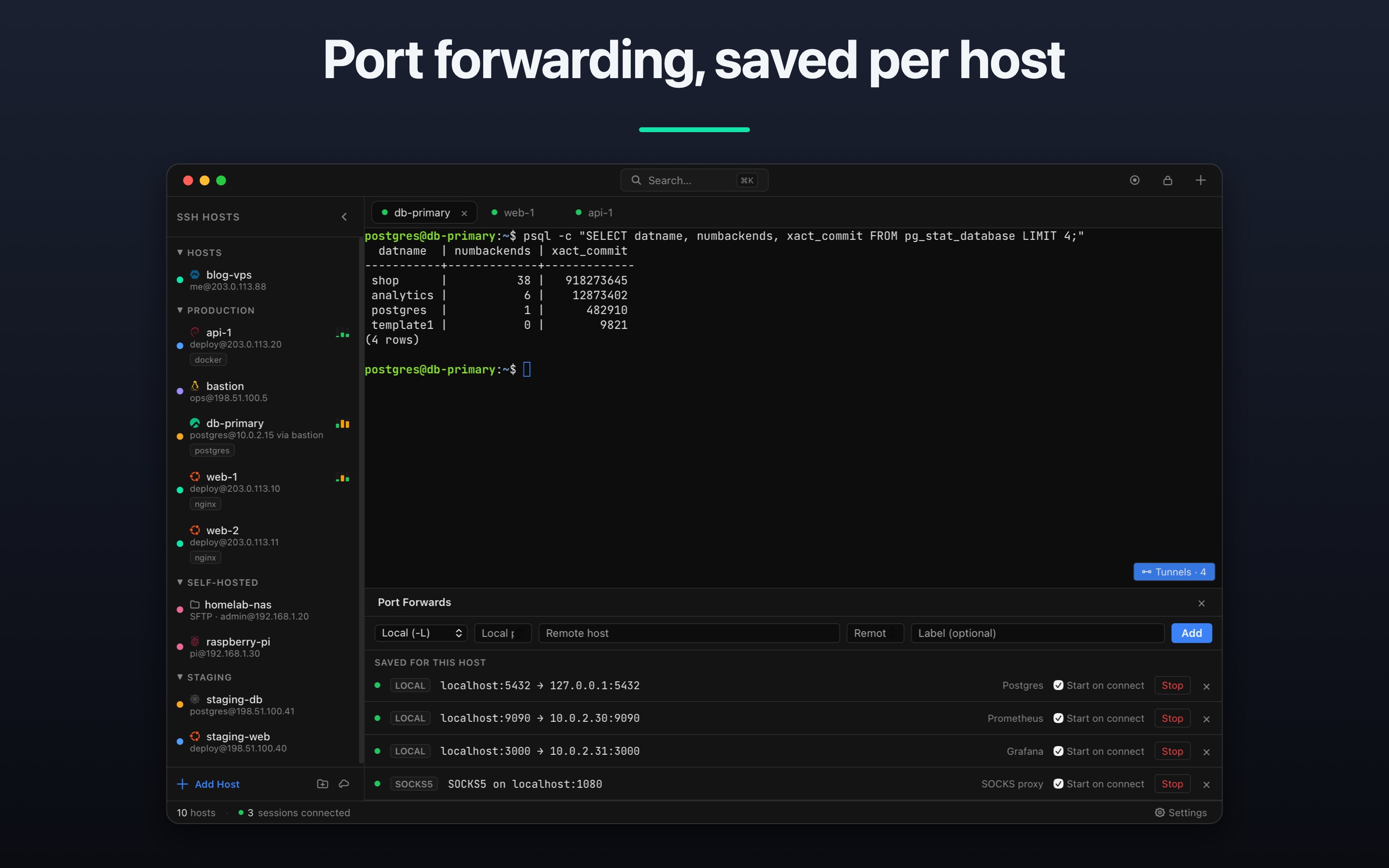
Open a local tunnel to a remote database or dashboard in two clicks. Tunnels come back after a reconnect.
CPU, memory and disk usage next to every connected host, so you can spot the busy one at a glance.
See your keys and fingerprints, create Ed25519 or RSA keys, and install a key on a server with one click.
Brama warns you before you close a tab where a command is still running, so a long job doesn't die by accident.
Record terminal output, connection events and notes during an outage. Pause, resume, then export a report.
Organize hosts into groups, import from ~/.ssh/config, and jump anywhere with ⌘K.
The Mac app, with demo servers.
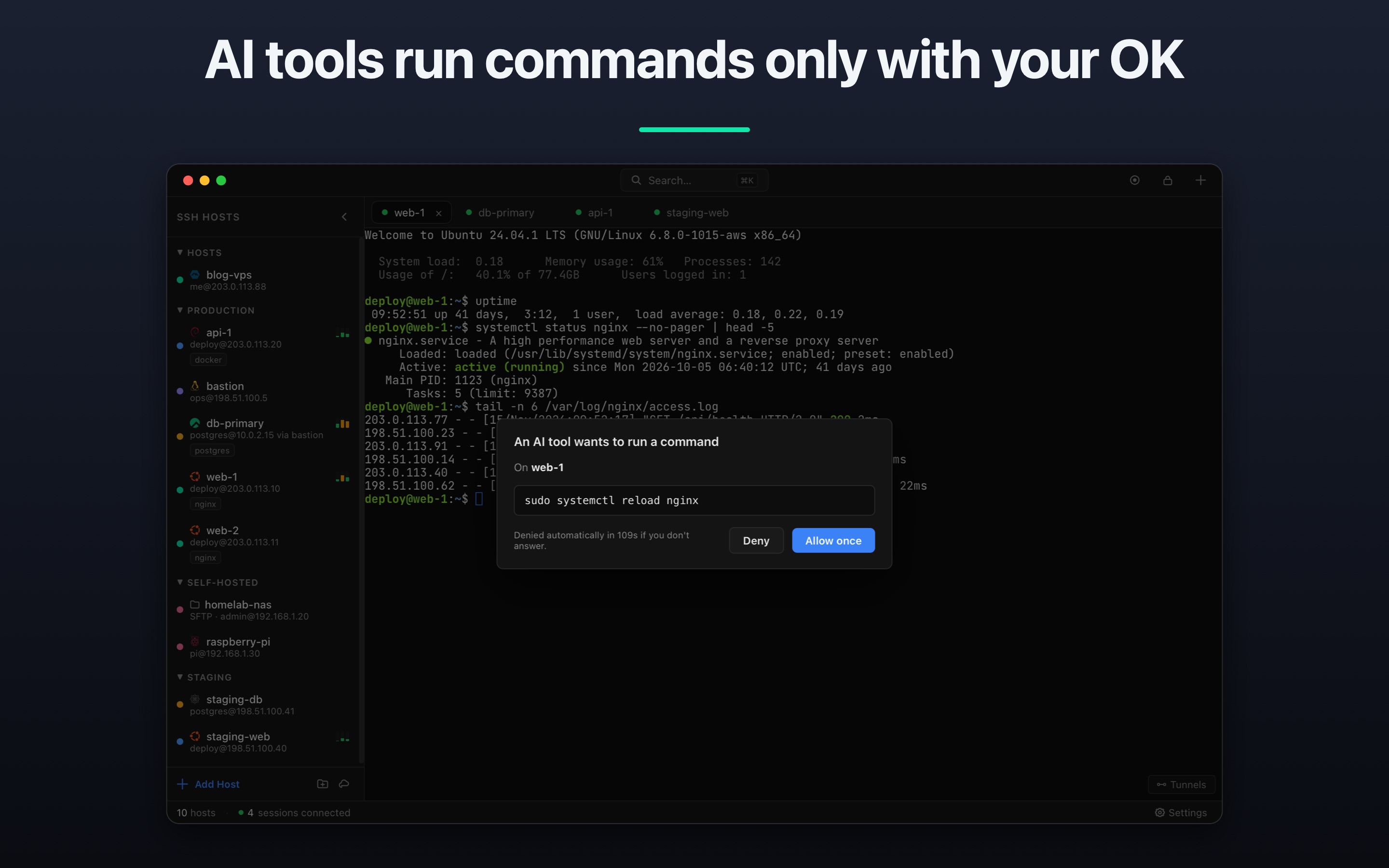
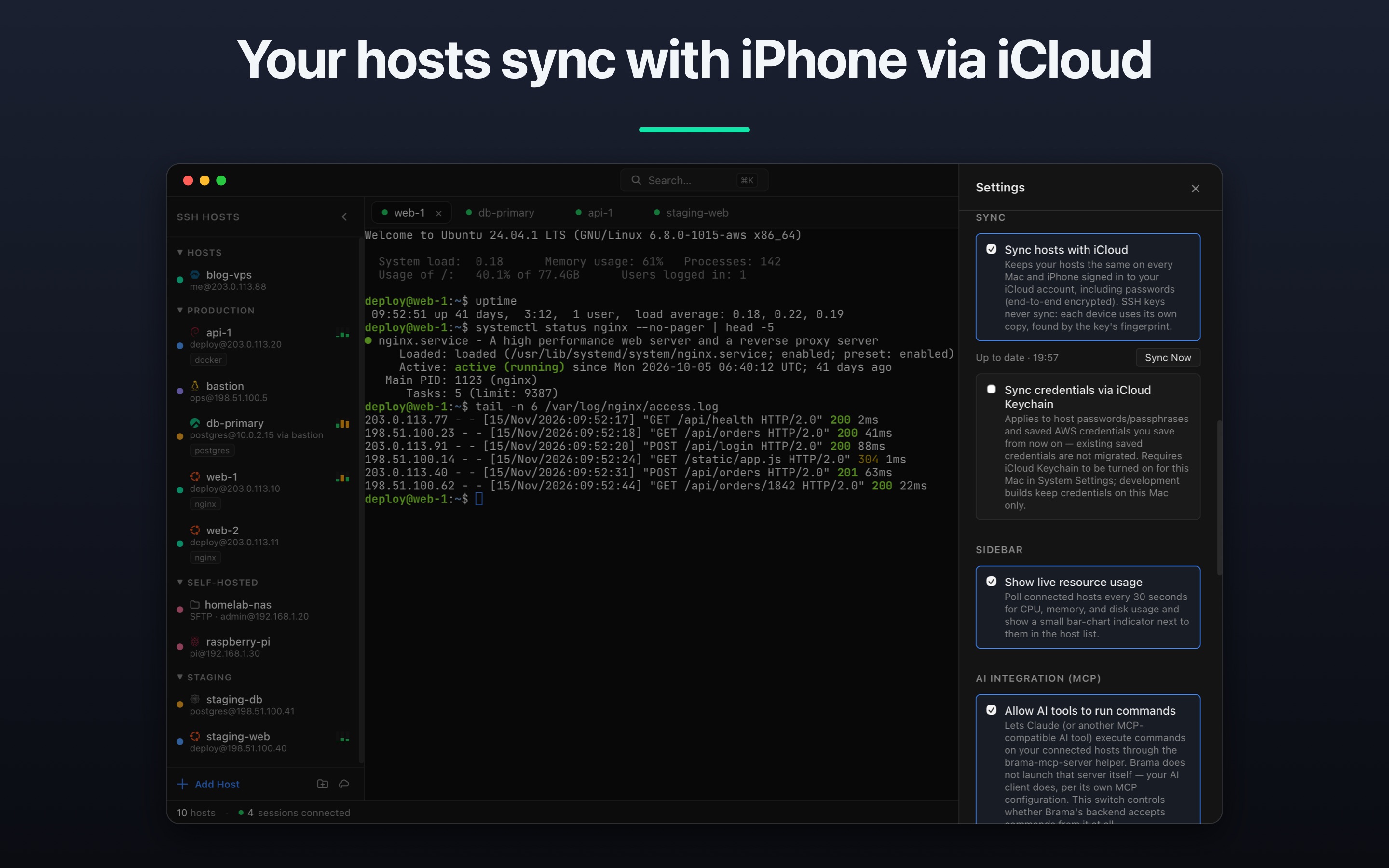
Click a screenshot to zoom in.
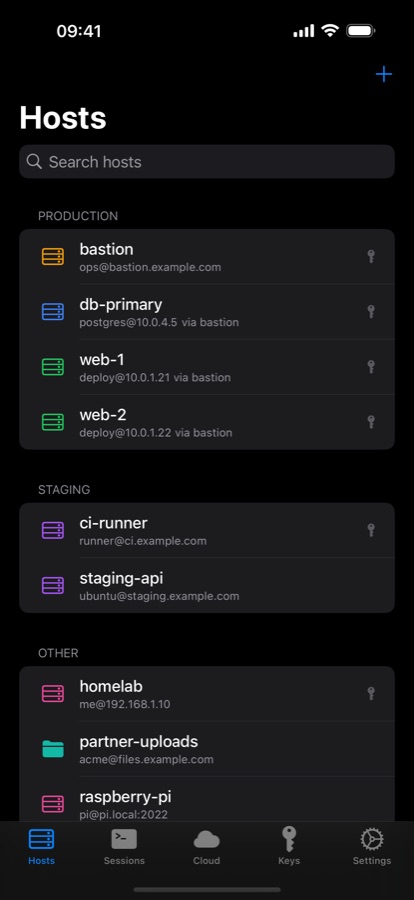
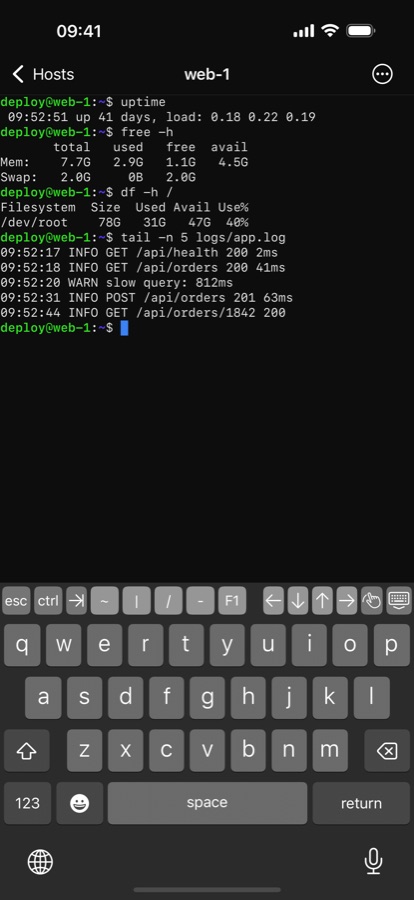
iPhone & iPad
Brama for iPhone and iPad brings the terminal and file browser with you, and keeps your host list the same everywhere.
Siri & widgets
On iPhone and iPad, your servers are a sentence or a tap away.
Cloud discovery
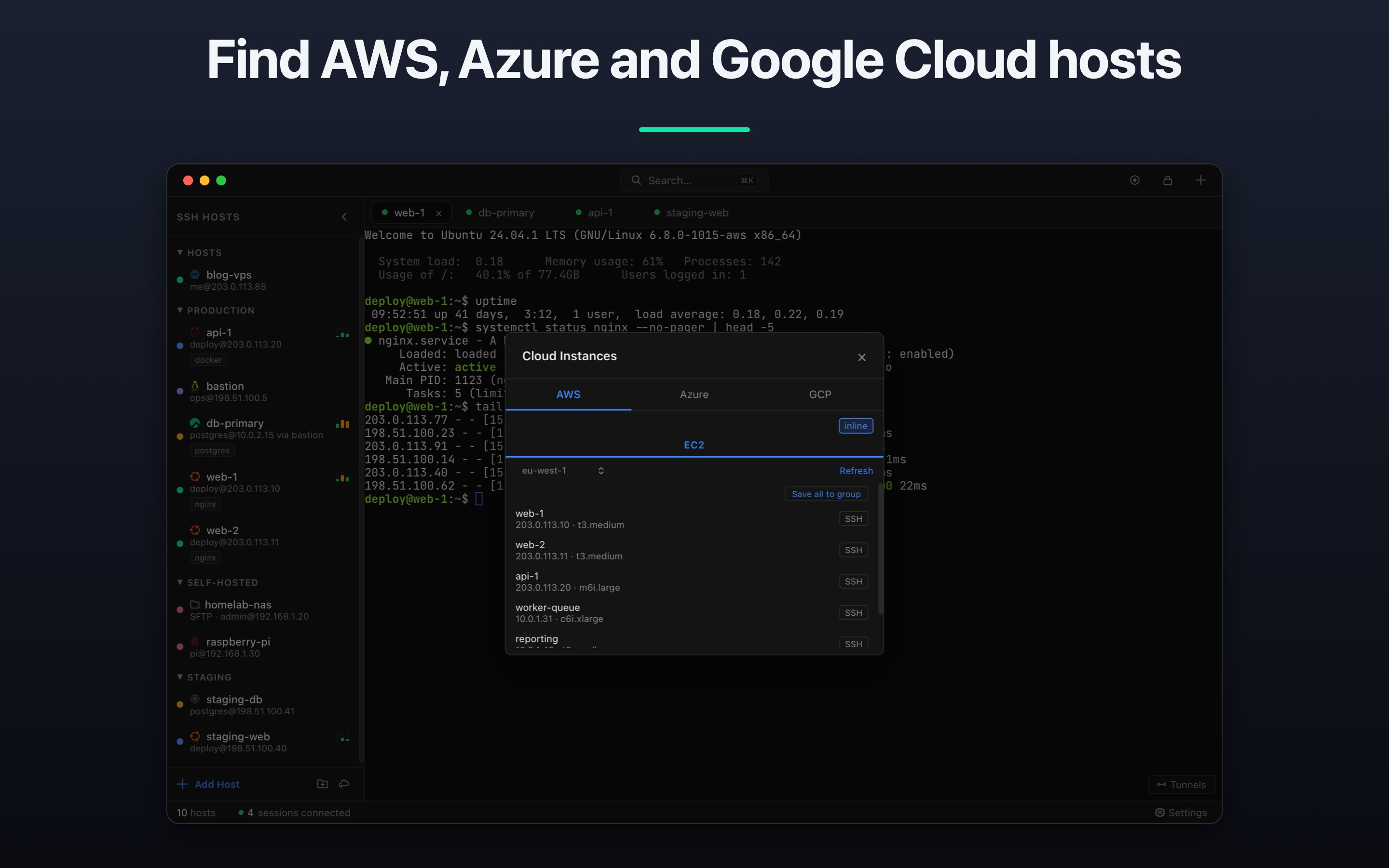
Point Brama at the credentials you already use. It lists your instances and connects without copying IPs around.
~/.aws.Save any instance as a host in one click.
AI access, on your terms
Brama includes an MCP server, so Claude and other assistants can run commands in the sessions you already have open.
No account and no telemetry. Brama has no servers of its own: it connects only to your servers, your cloud APIs, and, if you turn on sync, your own iCloud.
Passwords and passphrases are stored in the Apple Keychain, never in files or logs.
Lock Brama when you step away, or require Touch ID every time it starts.
Unknown host keys are shown for you to confirm, and your ~/.ssh/known_hosts is respected.
Export your hosts and credentials into one password-protected file (AES-256).
One app for Mac, iPhone and iPad. Free for up to 5 hosts; Brama Pro removes the limit everywhere.
Prices in US dollars; the App Store shows your local price.
On the Mac App Store and the App Store. Free to download; one listing covers your Mac, iPhone and iPad.
Mac: macOS 13 Ventura or later, Apple silicon and Intel. iPhone and iPad: iOS 18 or later.
Free, you can connect to up to 5 hosts (the 5 you added first) with every feature: terminal, files, tunnels, cloud discovery and iCloud Sync. Brama Pro removes the limit. Start with a 14-day free trial: no payment details, and nothing renews. After that, subscribe monthly ($4.99) or yearly ($29.99); Apple handles billing and cancellation.
No. Brama is one App Store app for Mac, iPhone and iPad, so Brama Pro and the free trial cover every device signed in to the same Apple ID. If the Mac doesn't show Pro straight away, open Settings → Brama Pro and click Restore.
Yes, between your Macs, iPhones and iPads: turn on iCloud Sync in Settings on each device, signed in to the same Apple ID. Hosts and passwords sync through your private iCloud; SSH keys don't. Import the same key on each device and Brama recognises it by its fingerprint.
Only to reach your servers and cloud APIs, and iCloud if you turn on sync. Brama sends nothing to us.
No. Brama is commercial, closed-source software. It still keeps everything on your Mac: passwords in the Keychain, hosts in a local database, and no telemetry.
Yes. Brama reads your ~/.ssh/config, uses your existing keys in ~/.ssh, and trusts the host keys in your known_hosts. Mac App Store apps can't read your files on their own, so the first time, Brama asks you to select your .ssh folder (and any other folder that holds your keys).
Not in the App Store version. App Store apps aren't allowed to run other programs on your Mac, such as your shell, kubectl or session-manager-plugin. Brama connects to servers over SSH and SFTP itself, so everything else works.
In the Apple Keychain on each device, and end-to-end encrypted in your own iCloud if you turn on sync. Host settings live on your device. Nothing is sent to us, because there is no “us” server.
No. Brama is built for Apple devices: Mac, iPhone and iPad.